




Alright, so the motivation of this article came from the fact that I’ve been a penetration tester for 3 years at my day job but have yet to really dive into the world of Bug Bounty hunting.
I love my job and what I do but the context of what I do on a day to day basis is quite different than the approach you take when setting up to do bug hunting out on the internet. Depending on what you do on a day to day basis, certain aspects of what you test may be out of scope. For example if you’re regularly doing just Web Application tests you might not ever touch DNS enumeration since you only are focused on finding application specific issues.
I’m writing this article to walk through step by step what to install/ use when performing bug bounty hunting, and to make it as easy as possible to quickly get started.
Step 1: Kali Linux
Alright so pretty straightforward here. Kali Linux is a Virtual Machine that can be installed on something like VM Workstation Pro (Currently free https://blogs.vmware.com/cloud-foundation/2024/11/11/vmware-fusion-and-workstation-are-now-free-for-all-users/ as long as you give them an email, address, and stuff. Yeah I don’t love it either but it does a great job so we’ll forget about the forced marketing ploy for a bit.).
So to do this:
- Install VM Workstation Pro from the official website: https://www.vmware.com/products/desktop-hypervisor/workstation-and-fusion
- Go to the official Kali Linux page and download Kali Linux
For me, I used the basic setup. If you’re an infrastructure geek, there are a lot of different ways to install Kali (heck you could run it as a docker container if you really wanted). For me, I care more about just doing the bug bounty hunting and less about knowing all the nitty gritty details of setting up a fancy lab.
Anyways, once you have Workstation Pro installed and have downloaded Kali:
- Unzip the Kali linux download
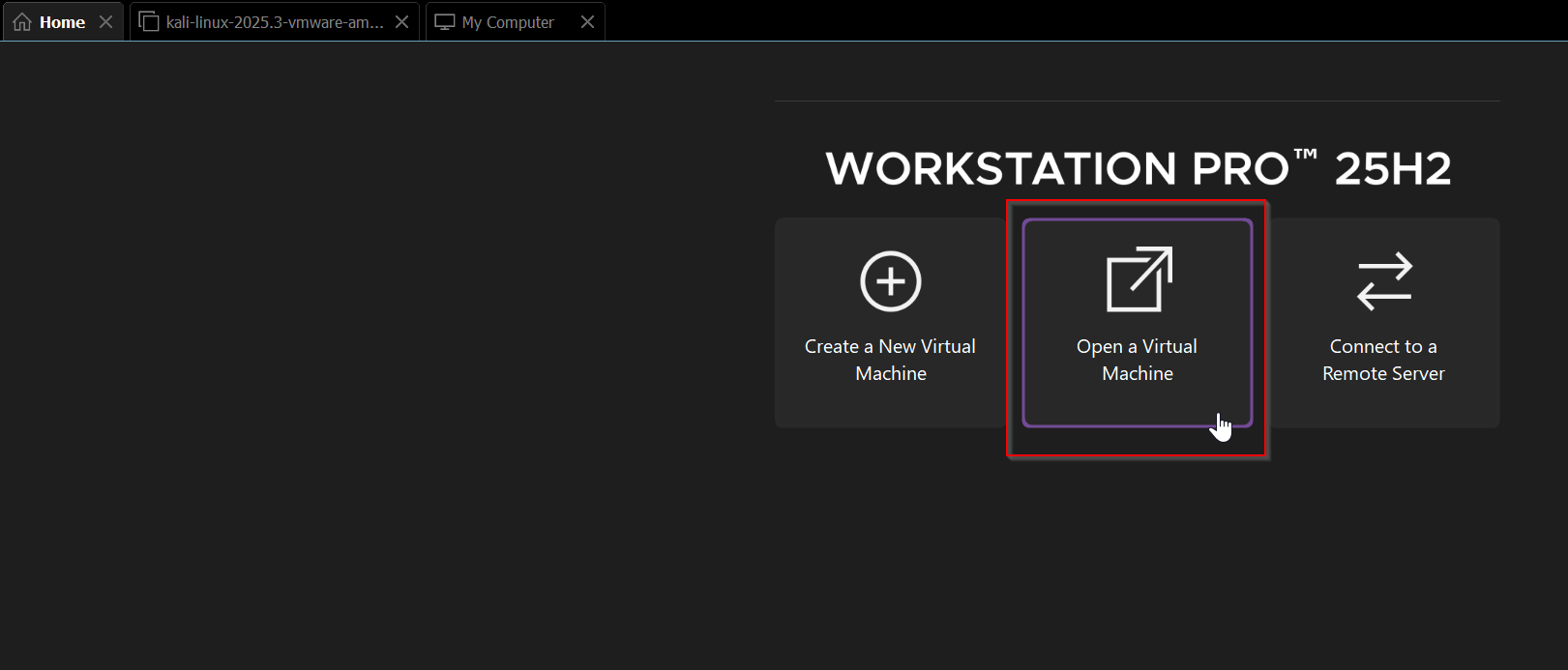
- Open Workstation Pro and in the Home menu, select “Open a Virtual Machine”
- Then navigate to the folder where the kali installation is located and select it.
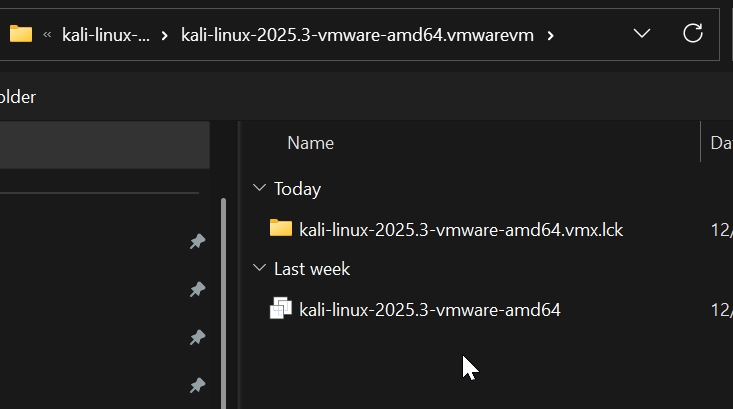
- The Kali box is ready to run:

- From here reconfigure the box to work with the specs of your machine.
What’s the benefit of installing Kali Linux vs just your regular machine?
Benefit 1: What’s nice about Kali Linux in a VM is that it allows you to separate security research materials from your local machine workspace. Especially if you’re doing a lot of research that involves navigating through various security forums, you want to make sure to keep yourself from potentially installing malicious files. If they are installed in a VM, the issue is contained within the VM and you can always revert back to a snapshot of an earlier image.
Benefit 2: The whole point of Kali is to install a VM that already has a large number of security tools installed out of the box and ready to go. This means you can immediately get started hunting with these pre-installed tools.
Step 2: Getting Some Great Tools for Recon
So again, this is all my first intro to Bug Bounty Hunting but I’ve done a little research on what tools are good for getting started.
The first one I came across was Subfinder (Found here: https://www.kali.org/tools/subfinder/) .
This is a great tool for investigating subdomains of a given website. Below shows a basic example from a bugbounty I found on Hackerone:
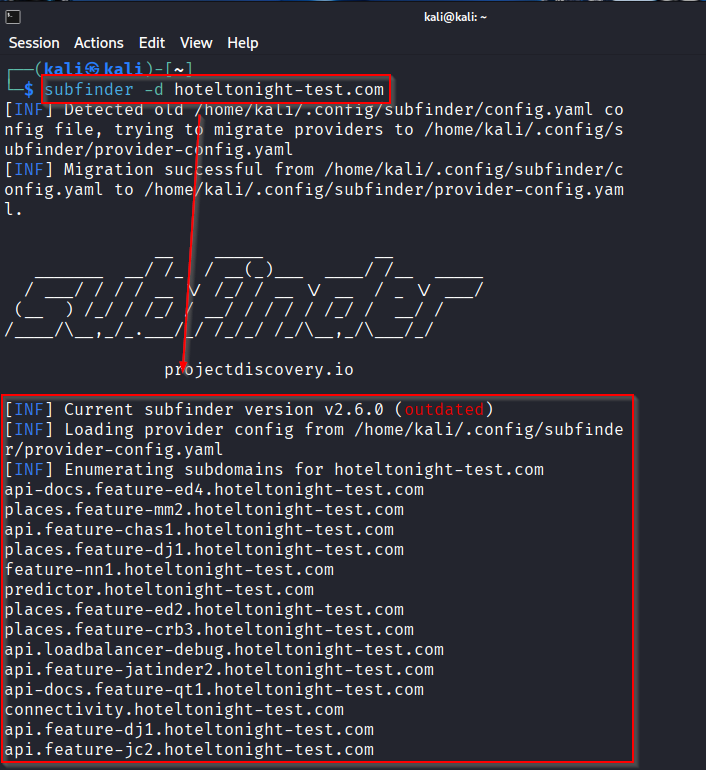
We can see the power of this tool since it allows us to find additional subdomains that belong to his site. Investigating lesser-known subdomains might help us find bugs that others have overlooked.
ParamSpider
This was a new one to me and after reading about it I’m amazed at how brilliant it is because it allows you to harvest an enormous amount of information about a site without touching the site at all.
So essentially what ParamSpider (https://github.com/devanshbatham/ParamSpider?tab=readme-ov-file#installation) does is make a series of queries to archive.org to find historical URL information tied to the domain you are interested in. By doing this it harvests (potentially) thousands of URLs and parses each of the URLs and searches for interesting parameters. It then populates those interesting params with “FUZZ” which makes it really easy to take this list of information and plug it in to a tool like BurpSuite to scan for specific types of issues (SQLi, XSS, etc.). Below is an example of some output for one of the sites. It came back with an enormous amount of information:
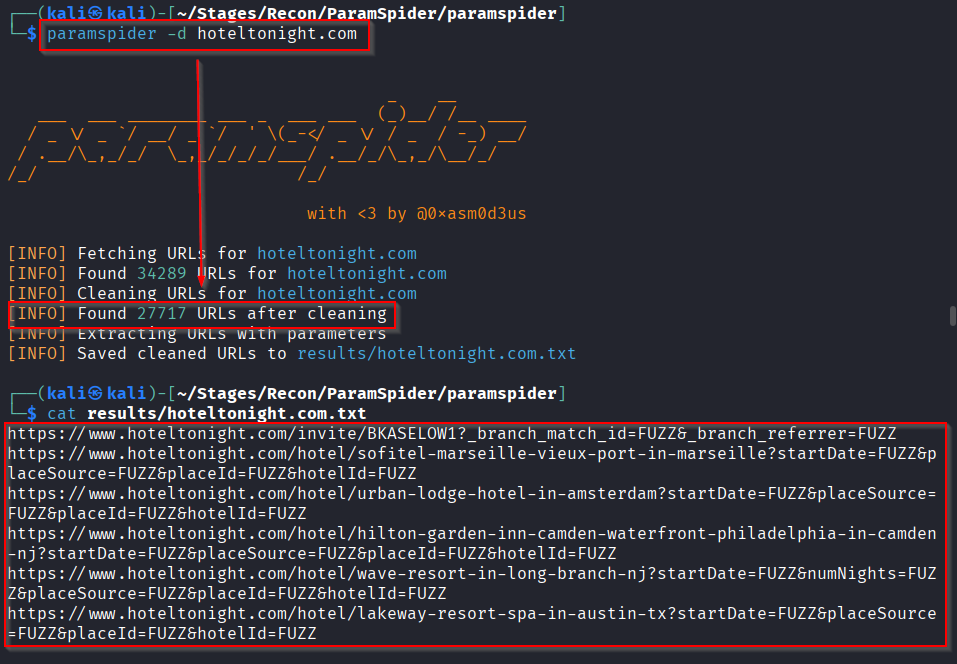
One of the worries I have had when it comes to Bug Bounties is getting my name on a naughty list for enumerating sites too fast. This is a great alternative as the information is being scraped from archive.org rather than the site you are testing, making it easy to discover vulnerable endpoints without ever touching the website itself.
This is just the start. I intend to keep building out this page and to also develop a script that will run various tools and compile the data so I can make more focused, targeted attacks.